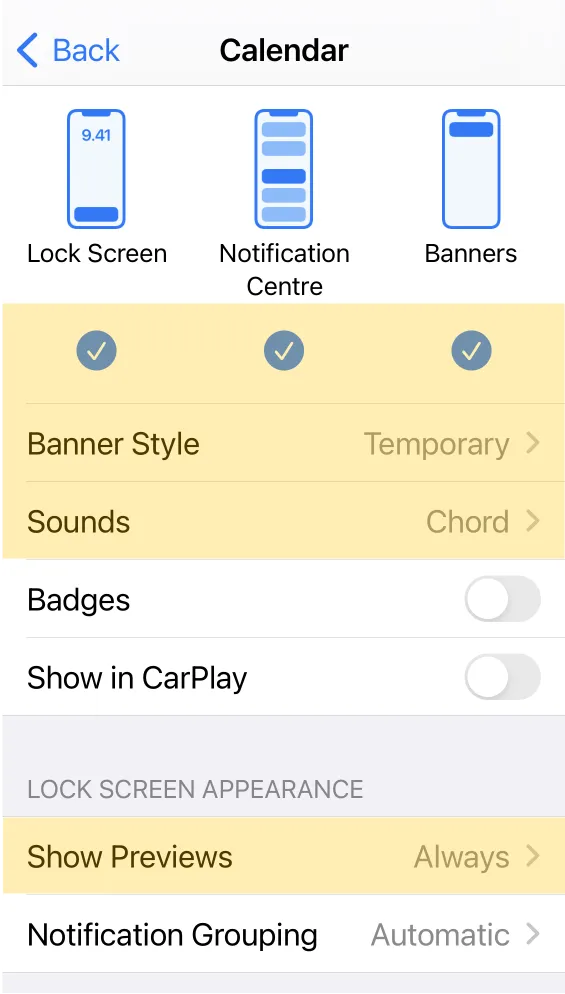
Receiving alarm notifications
Weel itself stores none of your data; all of it stays in Apple Calendar. Weel also uses Apple's own Calendar alarms for maximum reliability across iOS, Apple Watch, and so on.
Here's a video of how to make sure your Apple Calendar notifications are on.
Don't like video? Scroll down for screenshots.
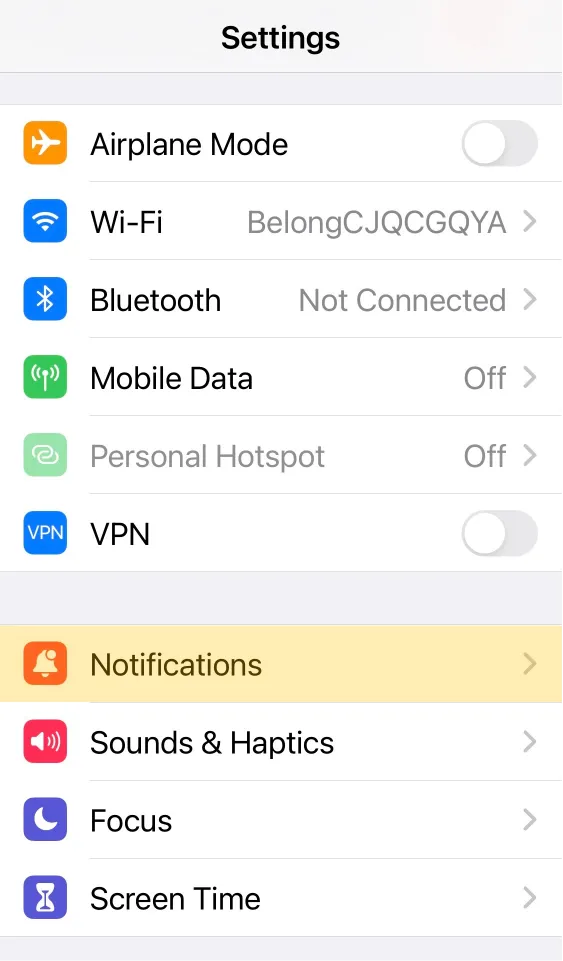
1. Open iOS Settings and tap Notifications
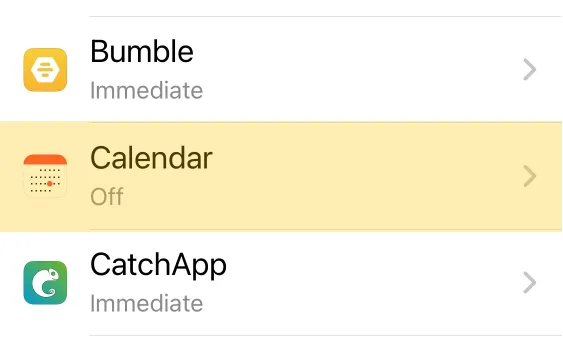
2. Scroll down and tap Calendar
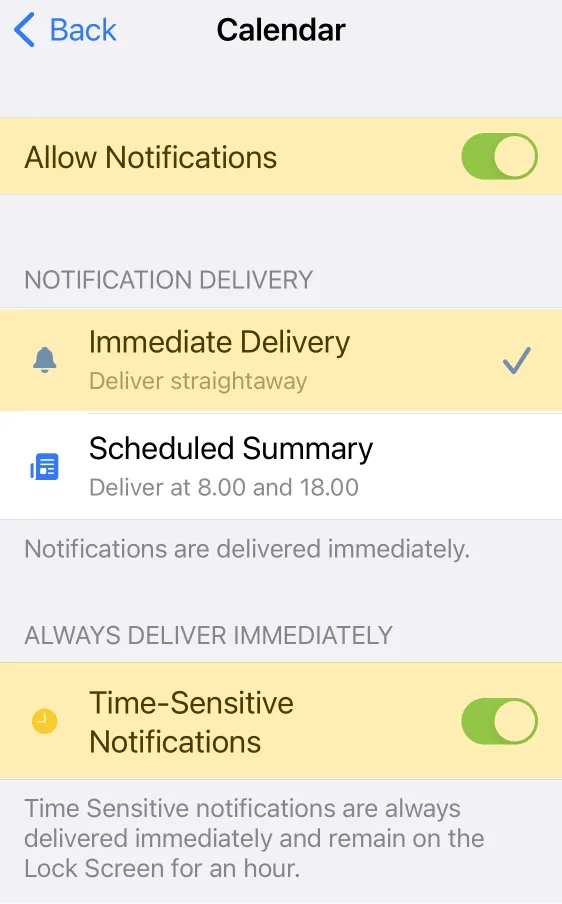
3. Turn notifications on
4. If you want, make them more annoying